Tomorrow is a big day! The Apple Event is happening! Will a new iPhone drop? What specs will it have!? What will ios 15 look like on it?? So many questions will likely be answered!
I’m personally looking to upgrade this year. After holding onto my iPhone 6S since 2015, it’s time for an upgrade! One of the reasons I’ve been able to last so long is that I have another phone for work; an iPhone 8.
I’ve been able to learn a lot about both phones over the years and was happy to see this full list of hacks (I’ve added most to this blog with my notes underneath each but be sure to go and check them out!):
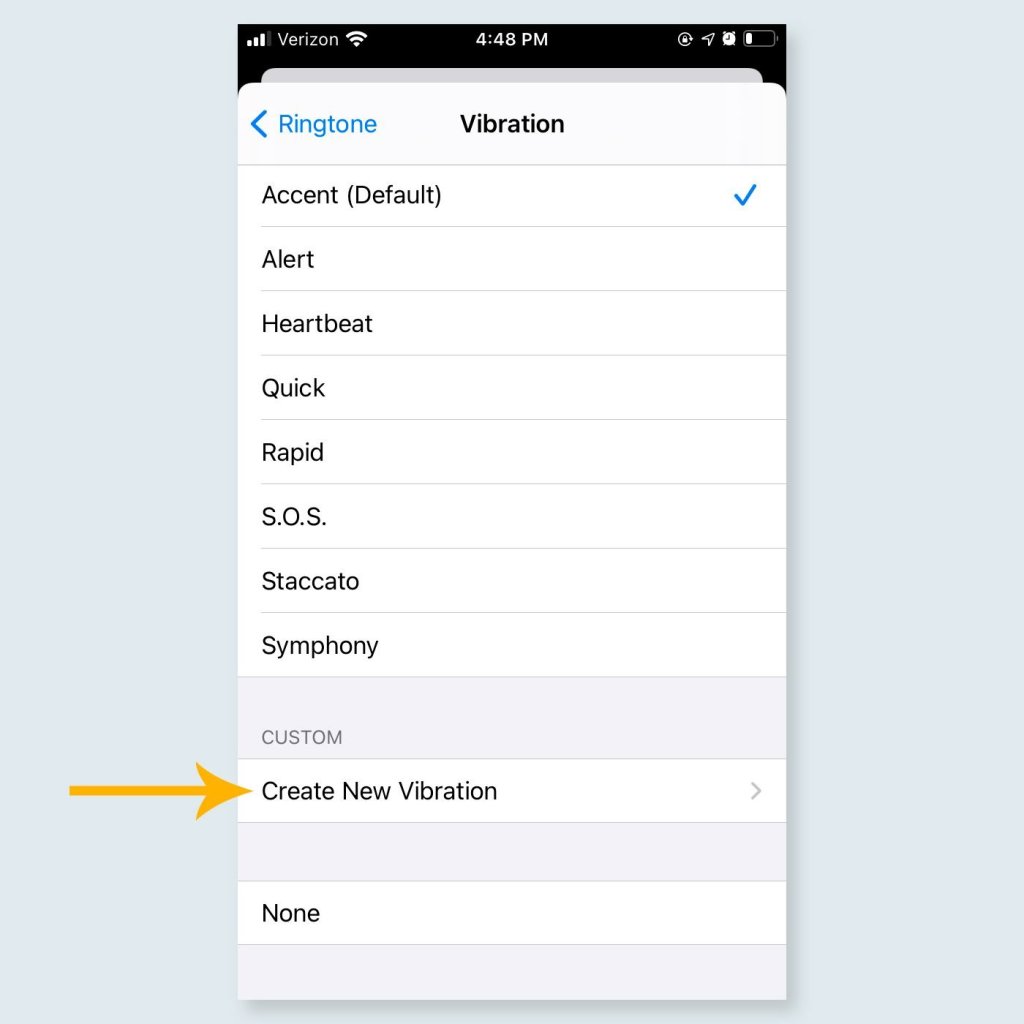
Customize notifications
“Though the days of customized ringtones are behind us, you can still customize the text notifications you receive. Start by selecting a person in your contacts list and tapping “Edit.” From there, go to “Vibration” and press the “Create New Vibration” button to select a custom vibration for that person. Now you can always know who texted you, from your boss to your children, without glancing at the screen.”
While I haven’t used this one, I love how it allows users yet another opportunity at really customizing certain iPhone features.

Find out what your phone knows about you
Users, beware: Your iPhone is following every single step you make. For proof, go to Settings > Privacy > Location Services > System Services > Frequent Locations. You will see the places you’ve been, as well as how much time you spent there. You can turn off the feature by tapping “Clear History,” and then swiping left on the Frequent Locations tab (here’s more on how to turn off location on an iPhone). But you’re not safe yet—find out the sneaky way Facebook is tracking where you are, too.
Really important in today’s times.

Make the screen smaller
If you are a one-hand texter, try moving the keyboard closer to your left or right palm by holding the emoji button and selecting one of the keyboards on either side. You can also tap the home button twice to shift the entire top of the iPhone screen down. Both tricks will make the entire screen much more accessible for the average-sized hand. Another handy trick to learn is how to hide messages on an iPhone, especially if you want to keep your conversations private.
I suppose if I texted on my phone more, I would use this but I think I mainly use my phone with two hands.
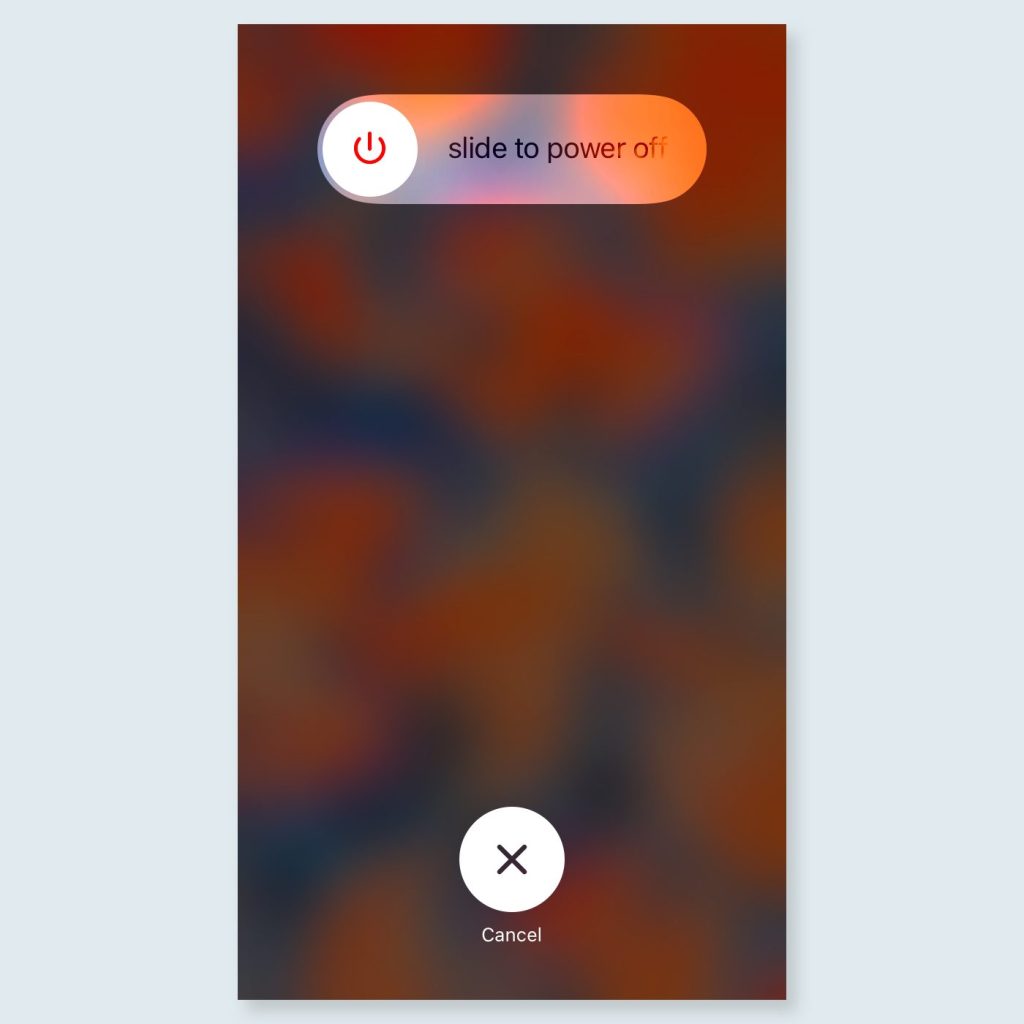
Get more storage space
Storage space is a hot commodity for the average iPhone user. To make the most of yours, hold down the “power” button, wait until you see the option to slide and power off your phone, and then hold down the “home” button. Doing so will clean out your phone’s RAM, which reduces the amount of space your apps might be taking up. This is just one of the many iPhone tricks that make your life so much easier.
It’s kind of like a “refresh” button for your phone.
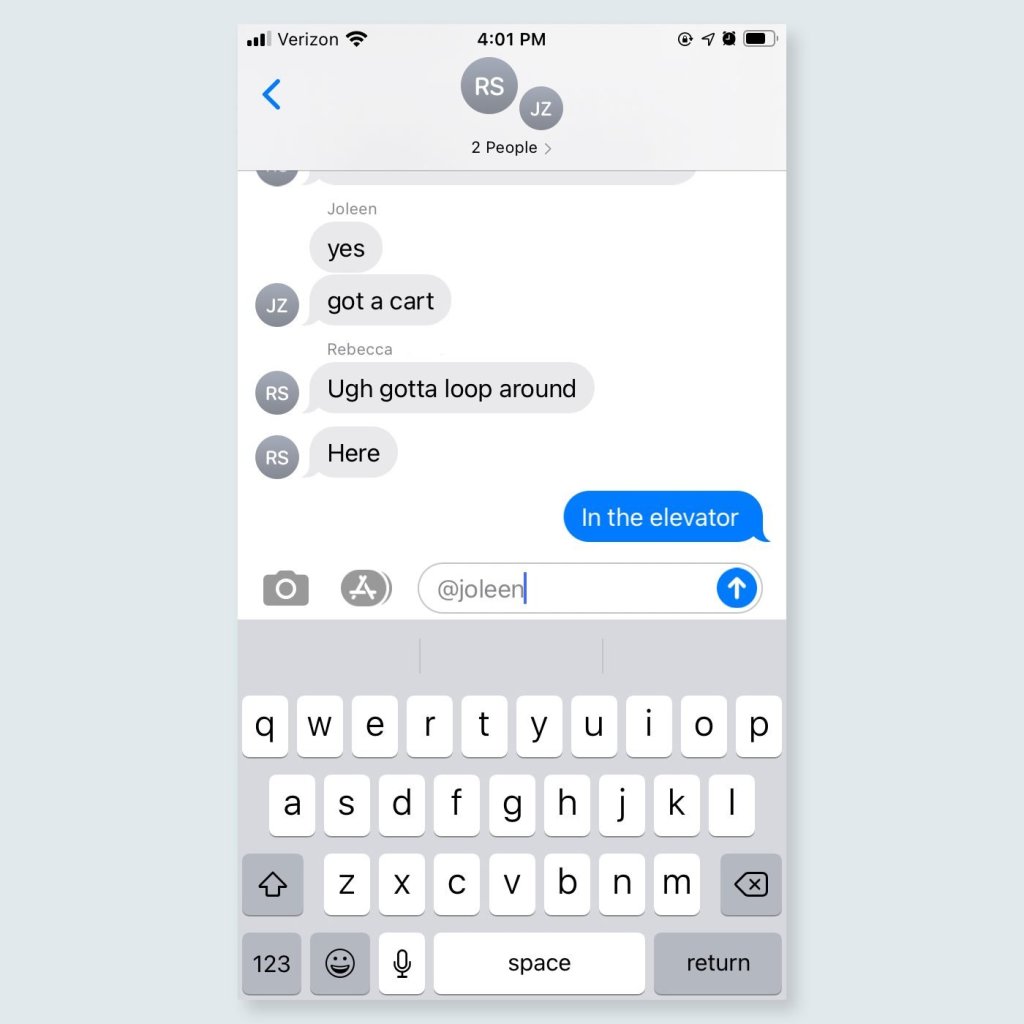
Tag Contacts in Group Messages
Just type the “@” symbol followed by their name to grab their attention.
Very helpful in the group chats.
Change your default web browser
Pick from Google, Firefox, or other web browser.
Google Chrome or Safari for me. I probably wouldn’t use Firefox on my iPhone.
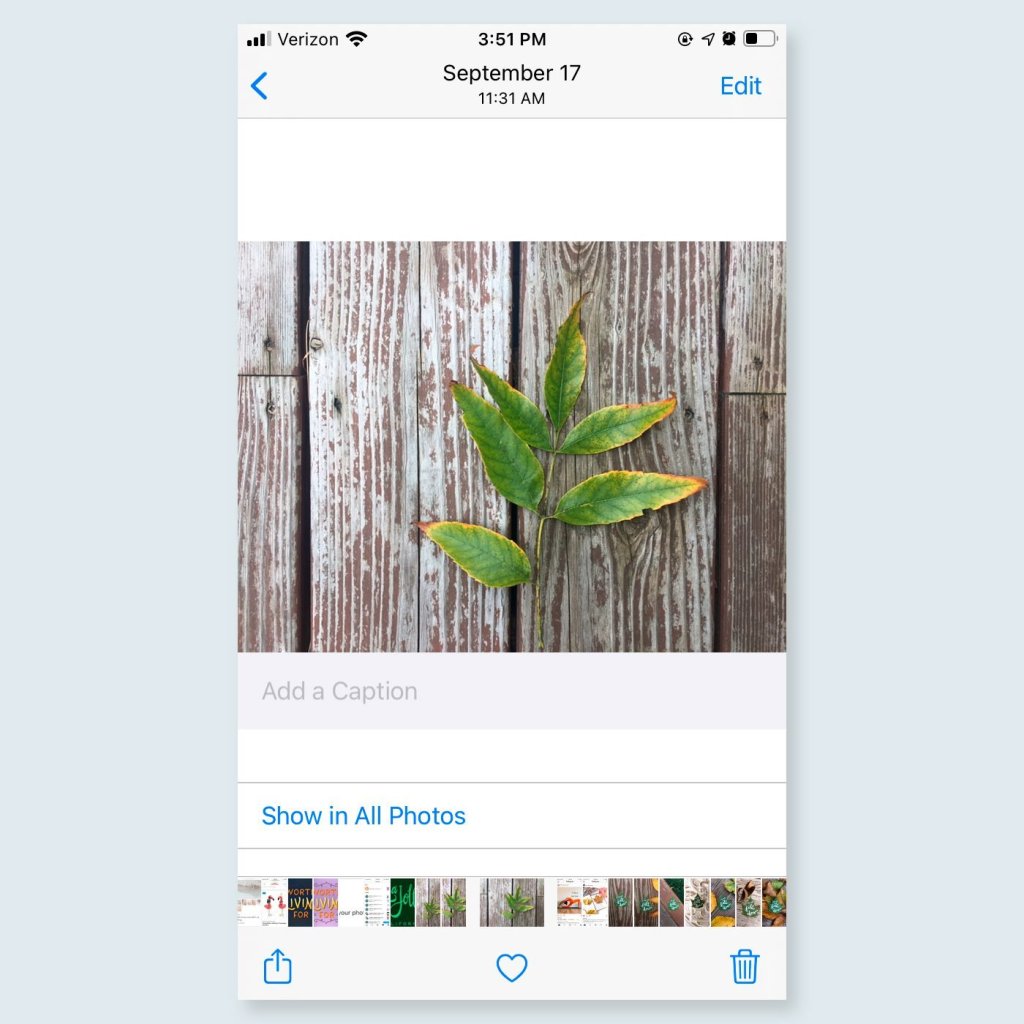
Add captions to photos or videos.
This helps when you wan to search for a photo or video later.
How else can we organize our photos?
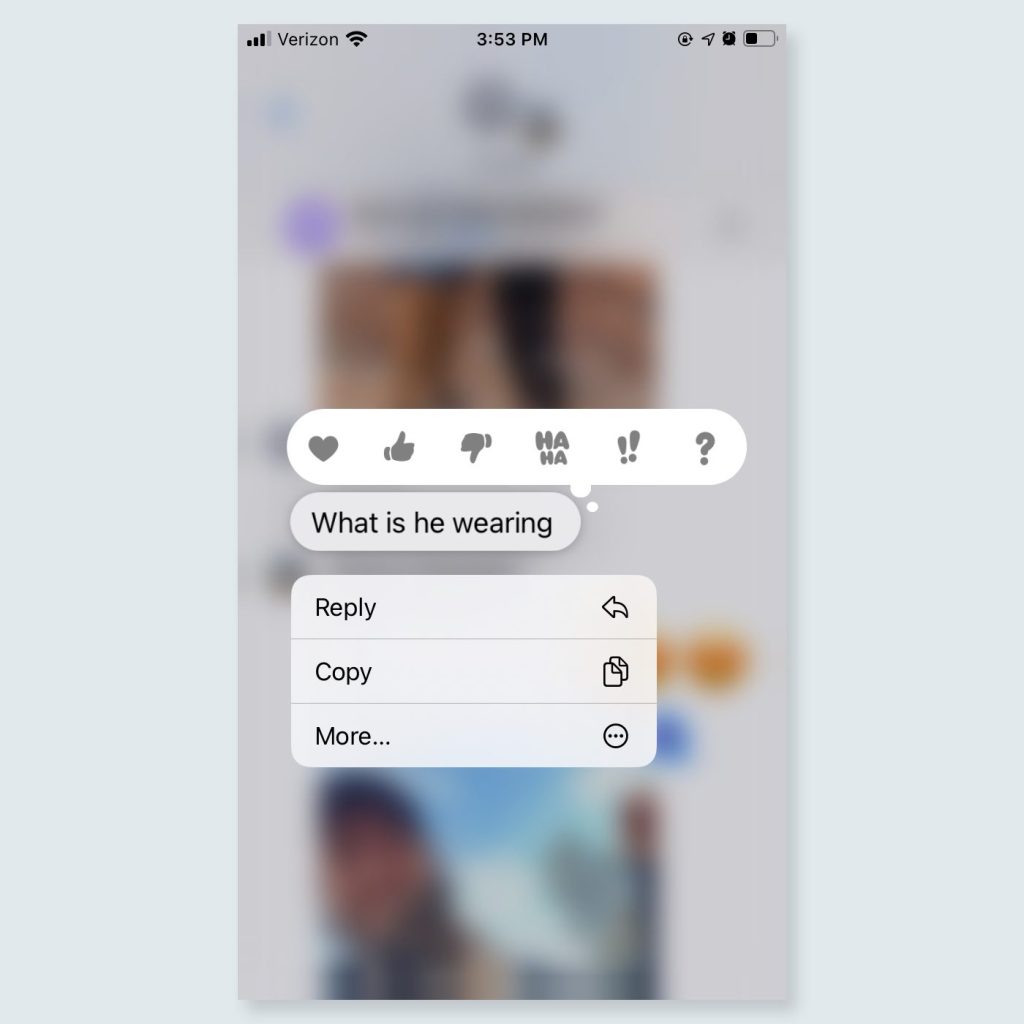
Reply to single messages.
Splitting a single conversation on the same group chat can get really confusing. The reply feature helps clear up the confusion.
This has helped my family group chat return to sanity!

Hide unused apps.
Just yesterday I found myself so proud of how organized my phone apps were. I had a folder for Finance, Travel, Food and more. I learned I don’t need to manually organize my apps anymore! iPhone IOS is so smart that it does it for you automatically. Just swipe right to access your entire library and see the pre-made folders. What a time saver!
My fiancé is the ultimate minimalist. When he saw all my folders, he suggested I just rely on the existing library instead of my dozens of folders. I’m so glad I made this change! My phone feels a lot less cluttered.
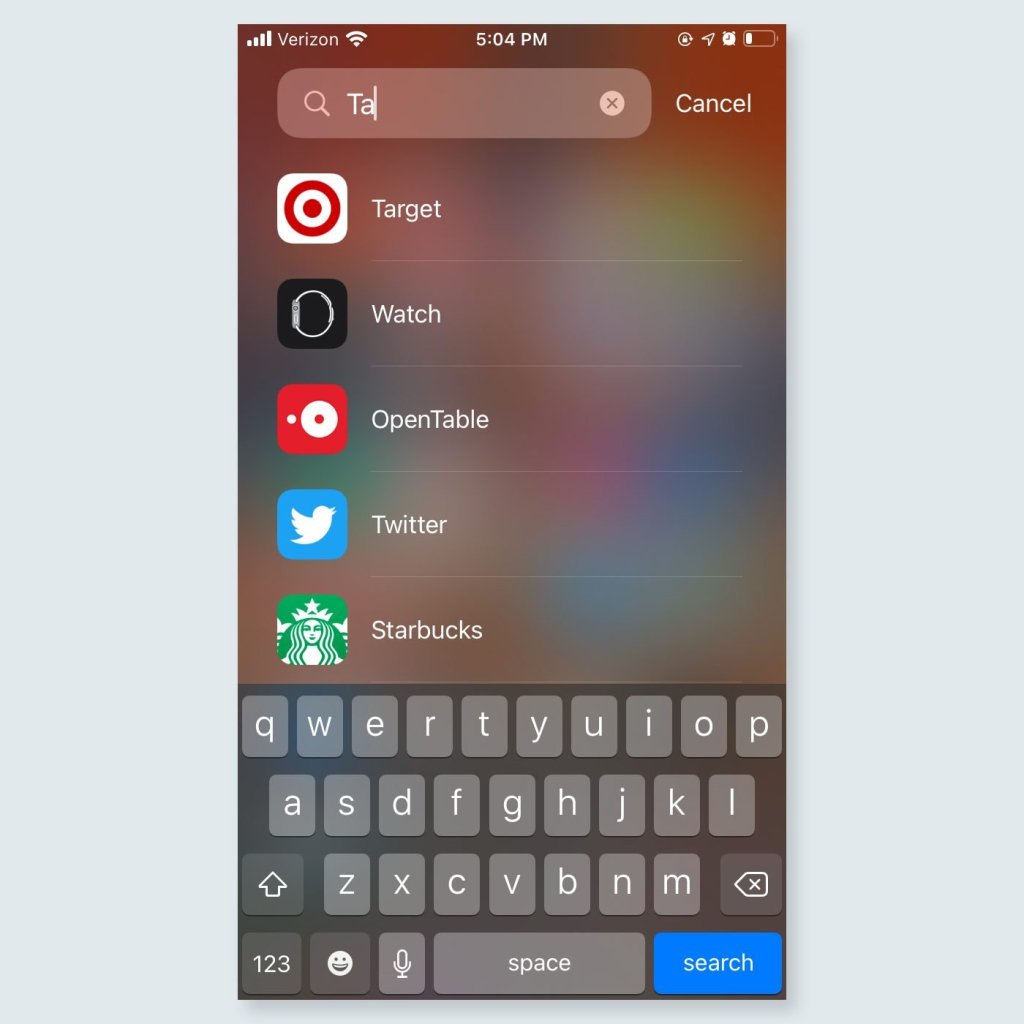
Launch apps faster.
The search bar allows you to quickly find the app you’re looking for and offers suggestions based on only a few letters. No more digging around for apps.
This one has saved me a TON of time!

Charge faster.
Putting your phone in airplane mode and low power mode will help you charge your phone faster.
However, my fiancé says NOT to put my phone in low power mode often because it’s not exercising the battery as normally as it should.
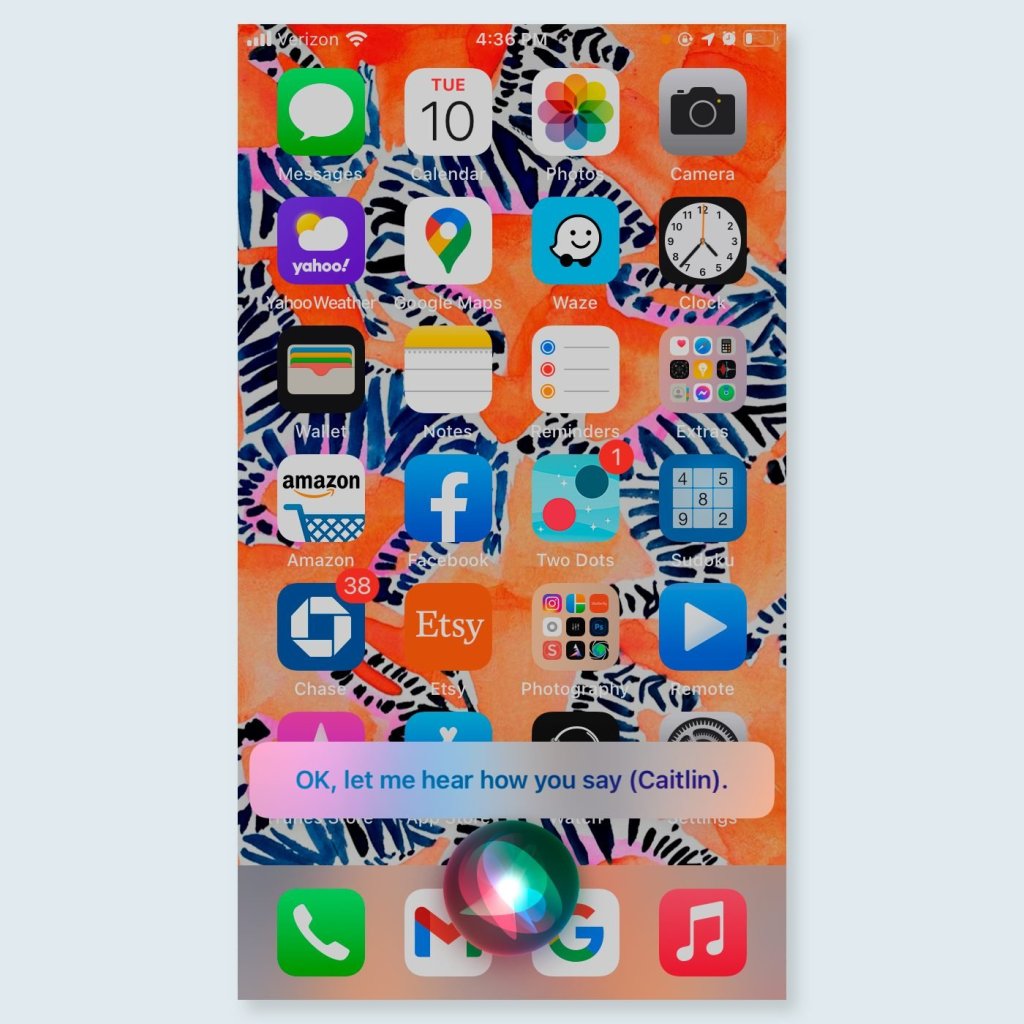
Correct Siri.
Yeah, you can do that. If she messes up, you can let her know! Just say “That’s not how you pronounce…” She will repeat back to verify the pronunciation.
I’ve never been one to correct pronunciation but it’s good to know Siri isn’t going to have a problem with me correcting her.

Backspace on the calculator app.
Just swipe left or right to delete what you just typed.
I was hitting “c” far more times than necessary.
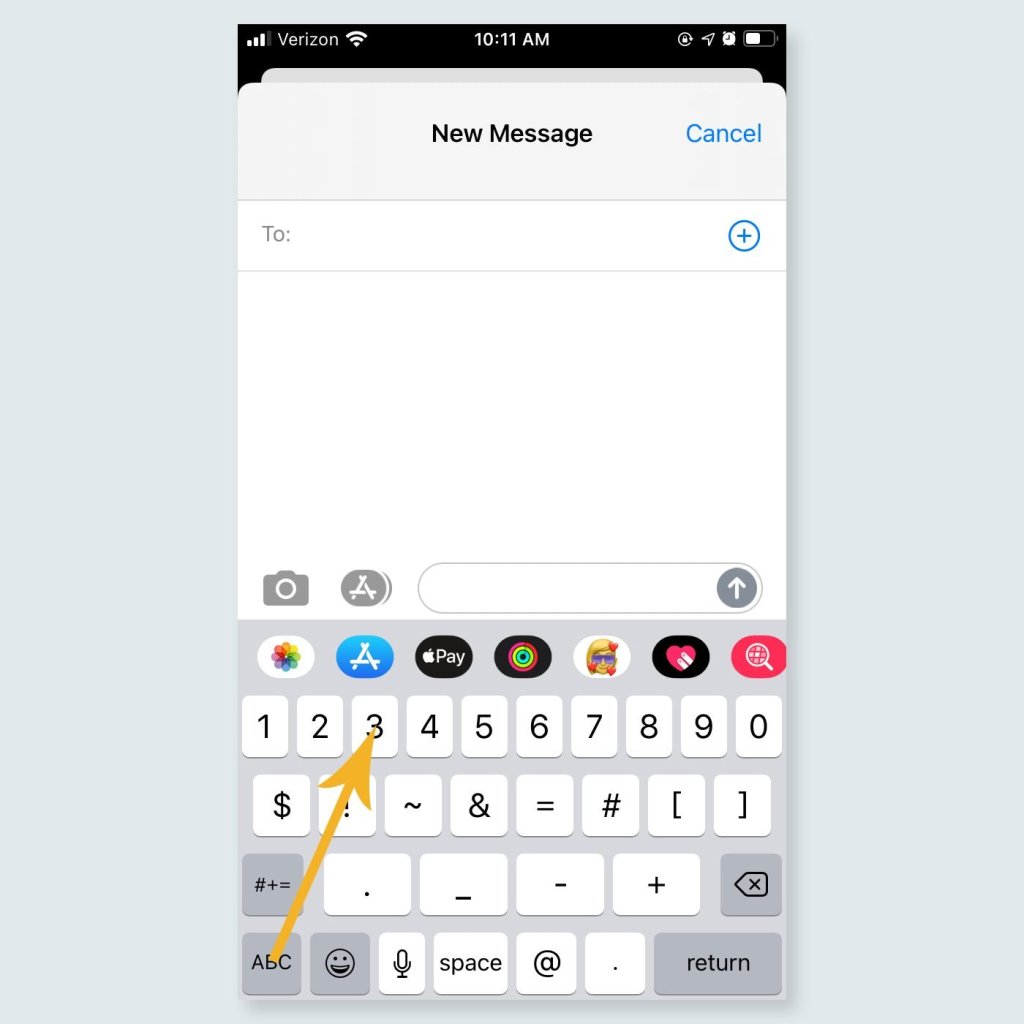
Increase texting speed.
“Hold your finger down on the “123” button, drag it over the number or symbol you want, and then let go—no screen-switching necessary.”
This is probably one of my favorites!
How many hacks did you know about? Did you learn any new ones? Let me know by COMMENTING below! Also, what kind of iPhone do you have?
Until the next post!
 Tall Girl Andy