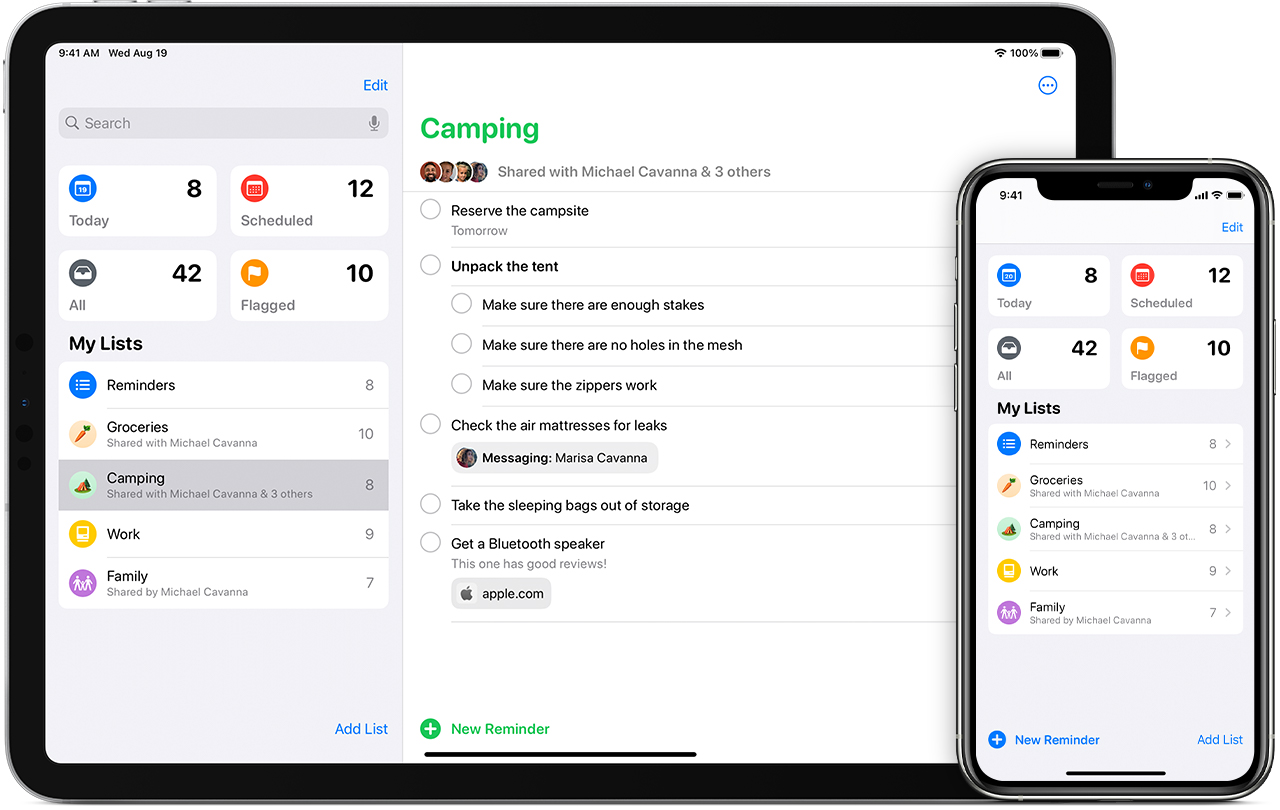
Maybe I’m a little late to the party with this one but my fiancé just shared this really neat way to use your iPhone’s Reminder list in a way that maybe you haven’t considered before!
We are trying to eliminate our paper usage for a few reasons, the main one being we don’t like the clutter on our desks, in our living spaces, and offices. We figure, if there is a way to do it online, that’s fine! Instead of constantly writing down items on small pieces of paper or physical shopping lists, we opt to use our Reminders App on our phones. It’s great because we can share the list with each other once and both have access to it for as long as the list exists.
HOWEVER, I’m not just here to talk about an app. I’m going to share a hack for HOW to use it better! Normally, you’d probably think, “oh, when I need something, I’ll just add it to this Reminders App list.” You COULD do that, which is what I was doing for the longest time… until my fiancé suggested a better way!
Now, we have a Grocery List that contains any possible item that we need. When we get it at our next store run, we obviously check it off the list. HOWEVER, and this the important part, we click the menu option that says SHOW COMPLETED ITEMS. So the NEXT time we go shopping, we don’t have to manually type it out anymore. We just uncheck it again so that it looks like we need to get that item. Does that make sense?
Here’s a step by step guide (if you’re more of a step-by-step person 😉 ):
- Download/Open the Reminders App.
- Create a new list or designate a list to be your Grocery Shopping List.
- You can also change the icon and color of the icon in the list settings.
- Lastly, be sure to share this list with relevant family members or roomies. They would also need to use an iPhone. When they update the list on their end, the changes will appear on your phone as well!
- Go ahead and start typing out your list. How you organize is completely up to you! When we first started, we added everything we could possibly need and then sorted the items into categories such as:
- Pantry
- Frozen Foods
- Fruits
- Veggies
- Pets
- Dairy
- Etc.
- Once you get the items from the store, go ahead and mark them as completed from your list.
- The next time you are planning a grocery trip, open up your list again and mark each item that you need as “uncompleted.” Basically, you’re doing the opposite so that when you get the item, you can mark it as completed.
- Now you can save a lot of time from typing out or writing the same list over and over again! With the click of a button, you can track what you need from the store and what you end up getting.
- The beauty about this list is that it is ever expansive meaning that you can add as many categories as you wish. It’s also personalized to you and your family.
Who would have thought, right?!

I hope this hack saves you time and frustration from having to write the same list out over and over again. It might also be really obvious to other people but as someone who has had an iPhone now for almost 5 years, this only became a recent revelation.
COMMENT below if this was helpful and SHARE this post with others!
 Tall Girl Andy